Short Answer
Connect your Walmart store by going to the Store section in PODtomatic, clicking "Connect" in the Walmart section, and entering the Client ID and Client Secret from your Walmart Developer Portal. Want to sell on Walmart using PODtomatic? Follow these simple steps.
Before You Begin
Make sure you have:
- A Walmart Seller account — required to list and sell products on Walmart Marketplace
- A PODtomatic account — log in here if you already have one
- Access to the Walmart Developer Portal — where you'll find your Client ID and Client Secret
Step-by-Step Connection Guide
Follow these steps to connect your Walmart store to PODtomatic:
Step 1: Log in to PODtomatic
Go to PODtomatic and sign in to your account.
Step 2: Go to the Store Page
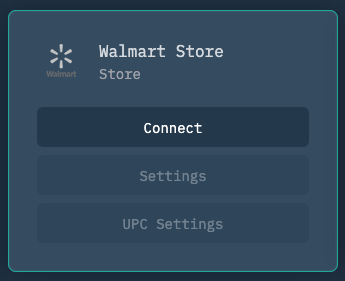
Click on the Store page and find the Walmart section.
Step 3: Click "Connect"
In the Walmart section, click the "Connect" button.
Step 4: Enter Your Client ID and Client Secret
You'll need your Client ID and Client Secret from Walmart. Follow the steps below to find them, then paste them into PODtomatic to complete the connection.
How to Get Your Client ID and Client Secret from Walmart
- Go to the Walmart Developer Portal and select US Marketplace to log in.
- Log in using your Walmart Seller account details.
- Find the "My API Key" section — your Client ID and Client Secret will be shown there.
- Copy both the Client ID and Client Secret.
- Paste them into PODtomatic to complete the connection.
Important: Keep your Client Secret private. Never share it publicly or commit it to version control.
UPC/GTIN Exemption (If You Have One)
✅ If Walmart approved your UPC/GTIN exemption, go to Settings in PODtomatic and check "UPC Exemption."
🚨 Haven't requested an exemption yet? Click here to learn how to request a UPC/GTIN exemption from Walmart.
✅ That's it!
Your Walmart store is now connected to PODtomatic! 🚀 The platform will start creating and uploading products to your Walmart store automatically.
Troubleshooting
❌ Connection Failed
- Double-check your credentials — make sure you copied the full Client ID and Client Secret without extra spaces
- Use the US Marketplace key — generate your API key under US Marketplace in the Walmart Developer Portal
- Check your seller account status — make sure your Walmart Seller account is active and in good standing
⚠️ Listings Rejected for Missing UPC
- Enable UPC Exemption — if Walmart approved your exemption, check "UPC Exemption" in Settings
- Request an exemption first — if you haven't applied yet, see how to request a UPC/GTIN exemption from Walmart
Still having trouble? Contact our support team for help connecting your Walmart store.